
P.S. Don't forget to check out the how to stay safe while buying on G2A section below and find out about the G2A Selected Offer and G2A Shield!
P.S.S. If you're interested in making money through GoldMine check out this post instead!
The Home Page Dissection
When you first open G2A, you will probably see something like this:


- The top bar lets you clarify which games you're looking for (genre, price, platform, etc)
- While the bottom bar shows you the games that fit the criteria you chose.
Since I'm trying to make this as detailed as possible, let's talk about the top bar. If you're not interested in this, then just scroll down!
The Top Bar
 The Games bar allows you to choose if you want to buy a:
- Bestselling game
- New Game
- Pre-Oder A Game
- Software
- Or In-Game Currency
There are many more options, but it's pretty self-explanatory.
The Platform bar allows you to choose what "Platform" you're buying the game for. You can choose between xBox, Apple, PSN, and numerous PC gaming platforms such as Steam, Origin, uPlay and others.


If you have Steam, I recommend choosing Steam, but sometimes there are better deals for other platforms, so if you're looking for the best deal, you can leave all of them on.
 The Genre tab allows you to choose the genre of the game you want to buy. This should be pretty self-explanatory...
 The Price Range is actually my favorite function in the top tab. safe seller. Since I'm talking about a safe seller, let's find out who a safe seller is!
It lets you choose the lowest and highest prices you're willing to pay for your game. Usually I set it between $0-$10 when looking for good deals, but if you're looking for a crazy deal, you can set it between $0-$3. Just make sure that you're buying from a
Selecting Your Location
 In the top right corner of the page, right by the Login button, you should see a flag with the name of the current country you're using.
If you want to pick a different country, just click on it and select one from the dropdown list!
Be careful because even if you choose a specific country, the search results aren't filtered and you might get a game that is region locked if you're not vigilant!
How To Stay Safe When Buying
 To stay safe when buying from G2A it's important to understand what each drop-down window in the buying section means. To get to the drop down menu press the blue arrow by the price and the Buy Now button!

If you're buying directly from G2A, or a trusted seller, make sure that you turn off the G2A shield because that's just a waste of money.

To do that make sure the G2A Shield looks like the one on the right.
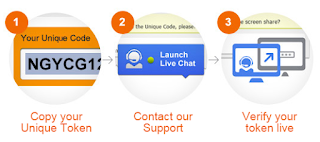 What the shield does is "allows" you to make sure to get what you paid for, but it requires you to copy a certain code, contact support, and use TeamViewer to show that you got or didn't get the game, and the whole process can take up to 72 hours. The best thing you can do is just ignore the G2A shield icon, turn it off, and buy from trusted sellers.

To do that make sure the G2A Shield looks like the one on the right.
 What the shield does is "allows" you to make sure to get what you paid for, but it requires you to copy a certain code, contact support, and use TeamViewer to show that you got or didn't get the game, and the whole process can take up to 72 hours. The best thing you can do is just ignore the G2A shield icon, turn it off, and buy from trusted sellers.
  However, if G2A themselves isn't selling the key, you need to learn how to find the best seller on G2A. When you load, you will be presented with a bar like the one on the right.
To make sure you do not get scammed look for 2 things:
- A 100% rating
- At least 100 sales (the more the better)
For example in the last picture, I would buy the game from the seller who is selling a Digital Key for $34.01. I can see that he has a 100% satisfaction rating, and he has 431 sales, which means he won't scam me.
Another important piece of information to know when buying Steam items on G2A is the difference between a Digital Key and a Steam Gift.
 The Digital Key:
- Looks like the picture to the right of this.
- Means that you don't have to buy this game for yourself, you can buy it for your friend and send him the key
- Means that the seller doesn't need to know your Steam Usernam
The Steam Gift:
- Looks like the picture to the right of this.
- Can only be used by you
- Means the seller has to know your Steam Username

Thank you for reading and I hope this guide helped you! Please leave a comment if you want to clarify something or if this guide helped you!
As always you can visit G2A using my link, and buy something to help this blog out!
P.S. If you would like to buy a game from G2A, but don't have any money, check out my website to see how you can make enough money to buy yourself a game fast!
